
Detailed
More telemetry for a specific technical need while excluded high-risk identifiers remain omitted.
Android field instrument
Signal Walk turns nearby wireless activity and phone sensor readings into a clear, timed session you can review, compare, and export—without creating a Signal Walk account.
No Signal Walk account · Local session storage · User-controlled exports
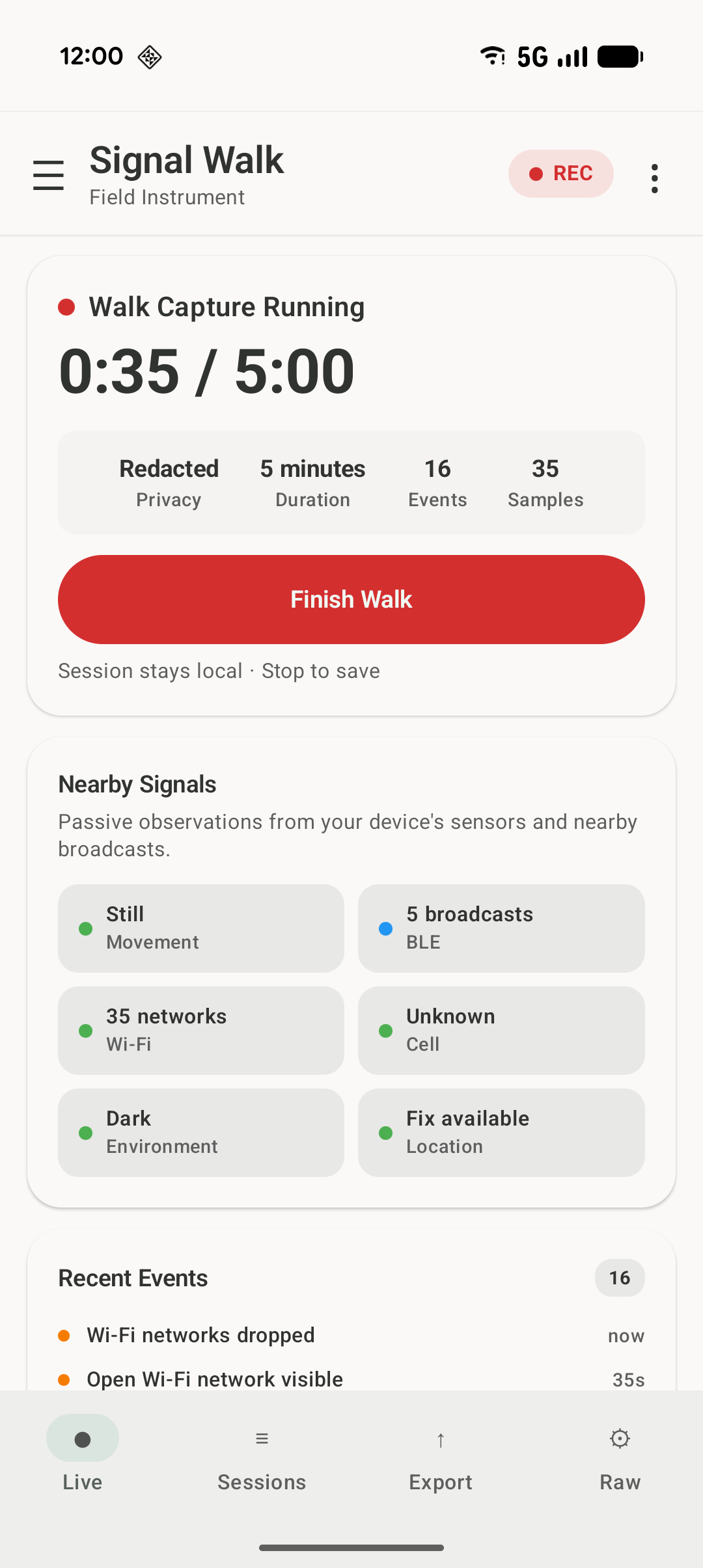
Turn a walk into a field session
Available readings depend on your phone, Android version, granted permissions, and surroundings.
Begin a timed session using wireless and sensor readings supported by your phone.
Follow readings, status, and notable changes together as the environment changes.
Return to the saved session or create a file using the privacy mode you select.
Core workflow
Signal Walk gives disconnected measurements a shared timeline without claiming to identify a person, device owner, cause, or threat.
Live
Follow supported nearby signal counts, motion, environmental readings, location quality, and recent events from one focused screen.
Sessions
Review saved captures, compare different places or times, and delete sessions from the app when you no longer need them.
Export and privacy controls
Signal Walk writes an export only when you request one. Use the result in your own spreadsheet, notebook, script, or project archive.
More telemetry for a specific technical need while excluded high-risk identifiers remain omitted.
Removes identifiers and precise coordinates to reduce exposure when sharing.
Counts, labels, and session metadata for the smallest output.
Raw telemetry
Open the deeper view for underlying readings and device-capability details while the primary workflow stays readable.
Widget: supported devices can also show key status and provide a shortcut into capture from the Android home screen.
Home-screen widget
On supported devices, check key status and open Signal Walk from the Android home screen.
Compatibility and permissions
Readings vary by hardware, Android version, system settings, radio state, granted permissions, and surroundings. A channel remains unavailable when its required hardware, setting, or permission is unavailable.
Online map imagery and on-device AI summaries are optional. AI availability depends on compatible Google-provided on-device support and a successful availability check.
Responsible use
Signal Walk does not identify people, determine intent, detect threats, establish surveillance, or produce validated forensic evidence. Use it for learning, personal field observation, education, and authorized device or environment testing.
Google Play closed test
Run several short field sessions and tell us what worked, what was confusing, and what broke.
Contact
Access requests, installation help, and product feedback.
support@signalwalk.comPrivacy questions and requests.
privacy@signalwalk.comResponsible vulnerability disclosure.
security@signalwalk.com